AI for Title and Description Generation
AZD now includes AI-powered title and description generation for your work items and pull requests.
AI Provider Options
Before using the generation features, you need to configure your preferred AI provider in the settings:
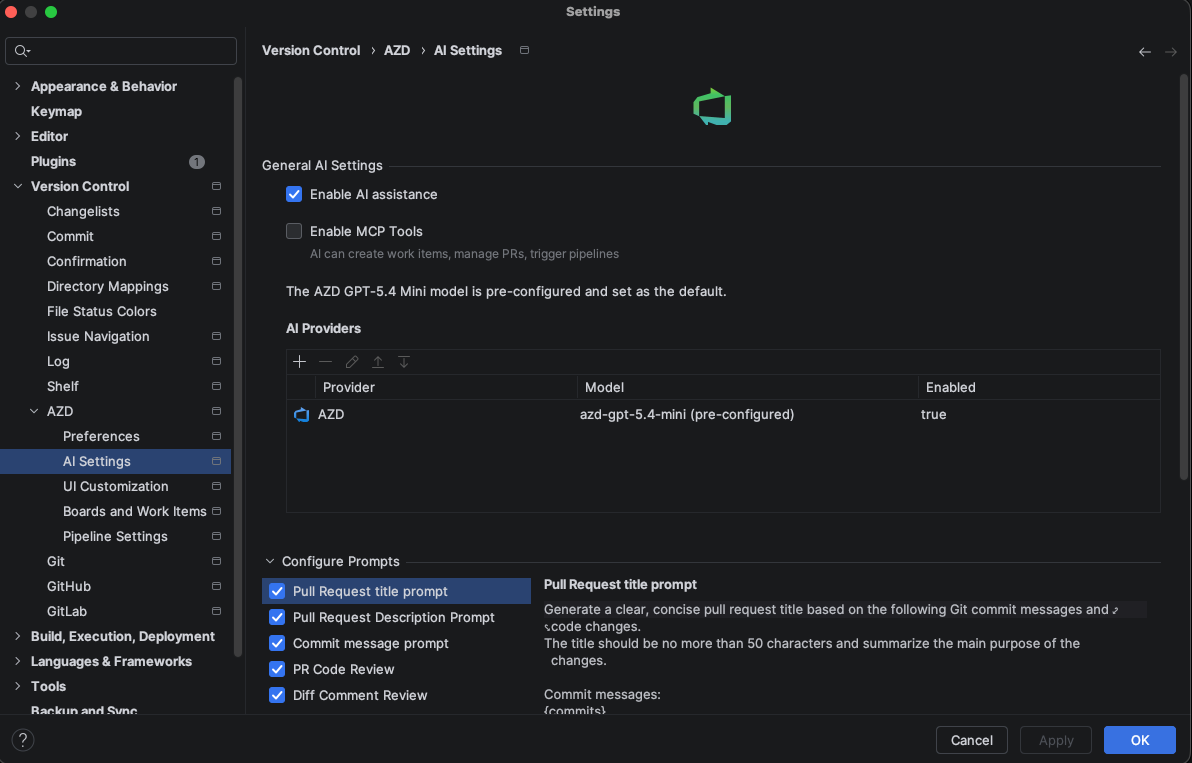
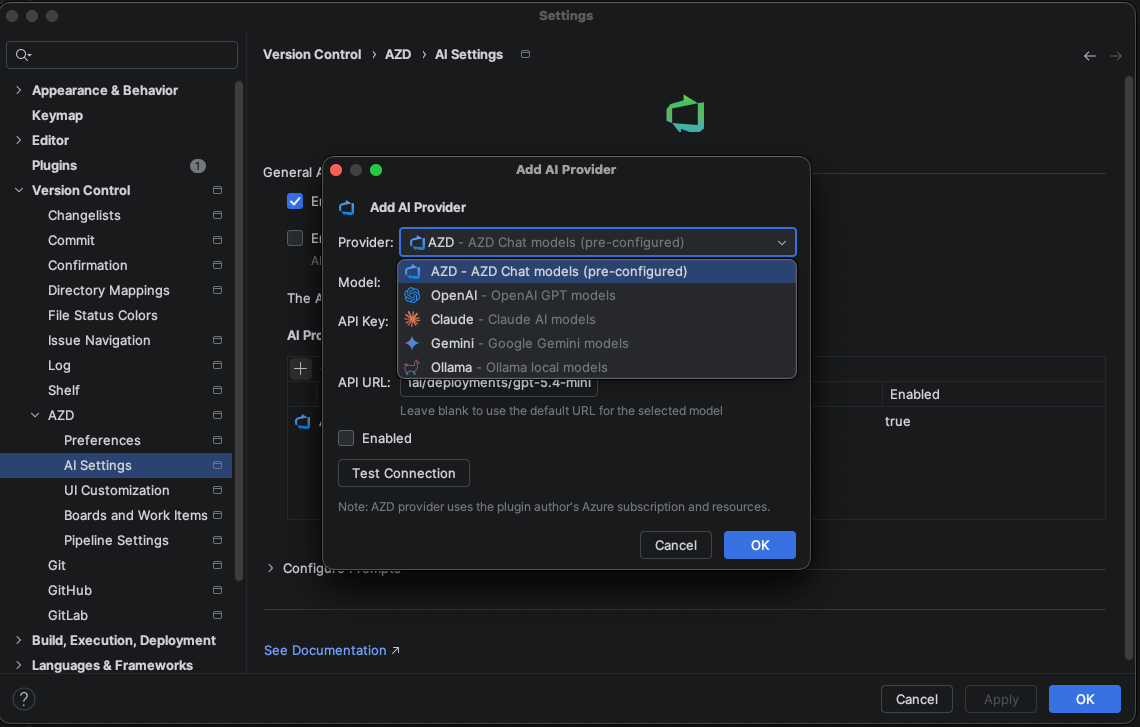
You can select from multiple providers, including support for the latest models and local execution:
Claude: Use Anthropic's Claude models including the latest versions. Requires an API key.
OpenAI: Use OpenAI's models including the latest GPT versions. Requires an API key.
Gemini: Use Google's Gemini models. Requires an API key.
Ollama (Local): Run models locally on your machine for maximum privacy. Requires the Ollama runtime and a model (e.g.,
llama3).AZD AI Provider: The default built-in provider. This is a proxy to the latest AI models provided via the plugin subscription.
Customizing AI Suggestions
You can customize how the AI generates titles and descriptions:
Configure the style and format of generated content in the settings
Set up templates that the AI will follow for different types of items
Adjust the level of detail included in the generated descriptions
Generate AI Titles and Descriptions
Automatically generate meaningful titles and descriptions for your work items and pull requests using AI: 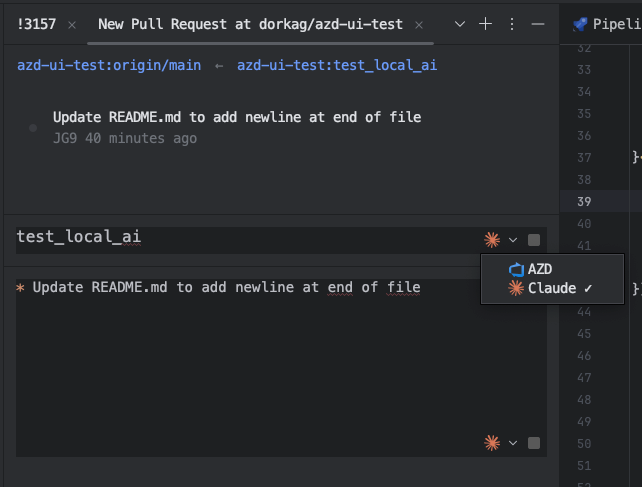
How It Works
The AI analyzes the context of your changes and suggests appropriate titles and descriptions:
It analyzes the code changes and commit messages
You can accept the suggestions as-is or modify them before saving
Commit Message Generation with AI
The latest version introduces AI-powered commit message generation to help you create more descriptive and standardized commit messages:
Automatically generate meaningful commit messages based on your code changes
Save time and ensure consistency in your commit history
Get suggestions that follow best practices for commit message formatting
Edit and refine the AI-generated messages before committing